RigBuilder: Precision Unreal 3D Configurator for Jeep Wrangler JL and Gladiator
NipsApp Game Studios built a production-grade Unreal 3D configurator, SaaS subscription platform, and AR viewing system for Hothead Headliners, a 4x4 aftermarket business based in Meridian, Idaho. One hundred accessories. Every one modeled to fit right. Every tire, bumper, and lift kit placed with the kind of accuracy that 4x4 shops actually trust.
The Problem Hothead Headliners Needed Solved
Mark Ambrose runs Hothead Headliners out of Meridian, Idaho. His business works with 4x4 shops across the United States, and here's what he kept running into: customers want to see exactly what their rig will look like before they commit. Not a flat catalog photo. Not a rough rendering. They want to pick a bumper, see it on their Jeep, swap the tires, check if the fender flares clear, and know if they need a regear before they spend thousands of dollars.
Static images don't cut it. Most configurators online are either too basic or built for the OEM market, not the aftermarket. The aftermarket world has hundreds of brands, thousands of parts, and a pile of compatibility rules that take years of shop experience to know. A 35-inch tire on a 2-inch lift is a different conversation than a 37-inch tire on a 4-inch lift. A front bumper with a winch mount changes the approach angle. These things matter to the people spending money, and they really matter to the shops doing the work.
Mark needed a tool that could handle all of that. Not a toy. A real production application that 4x4 shops could subscribe to and use with their own customers. That's what he brought to NipsApp.
Real-Time 3D Configurator in Unreal Engine
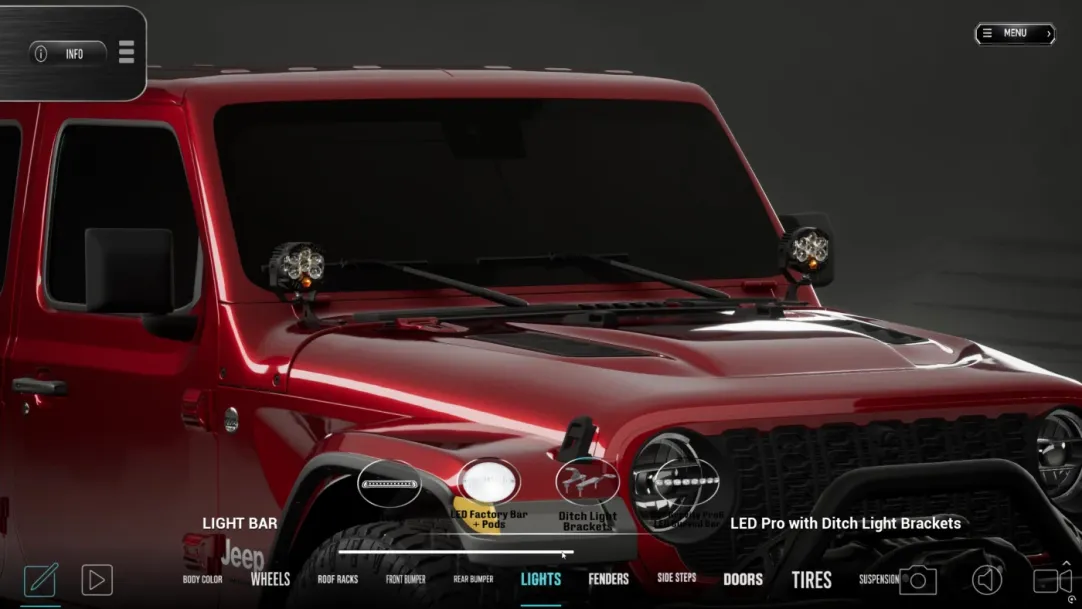
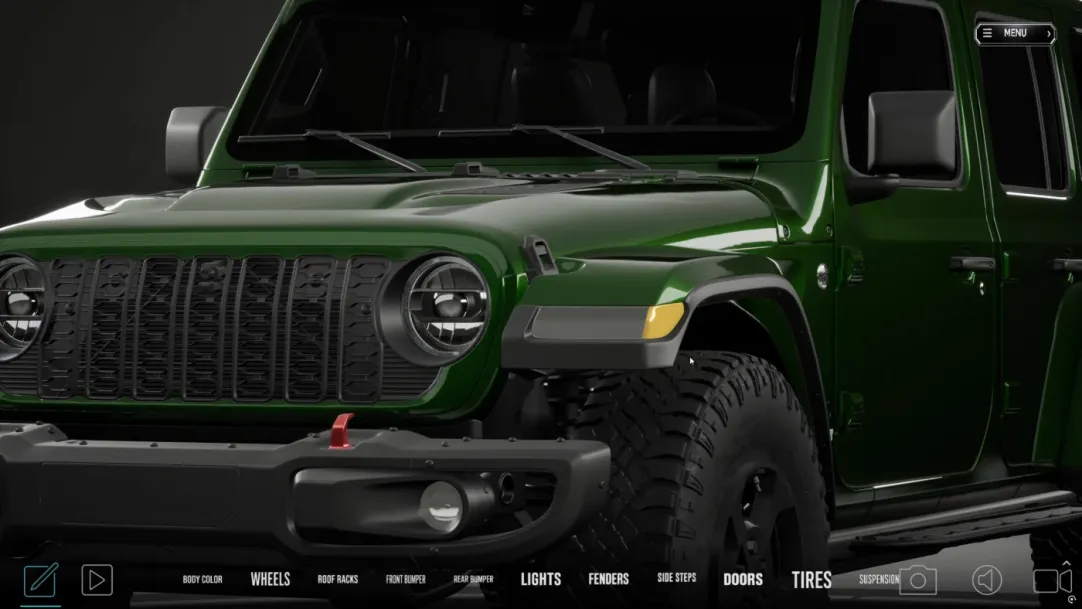
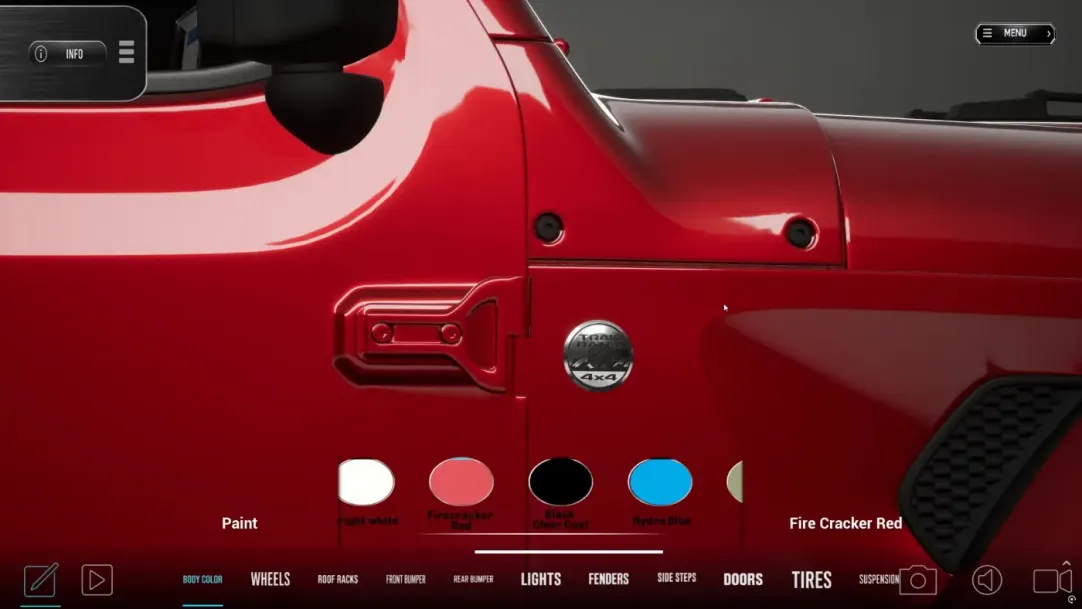
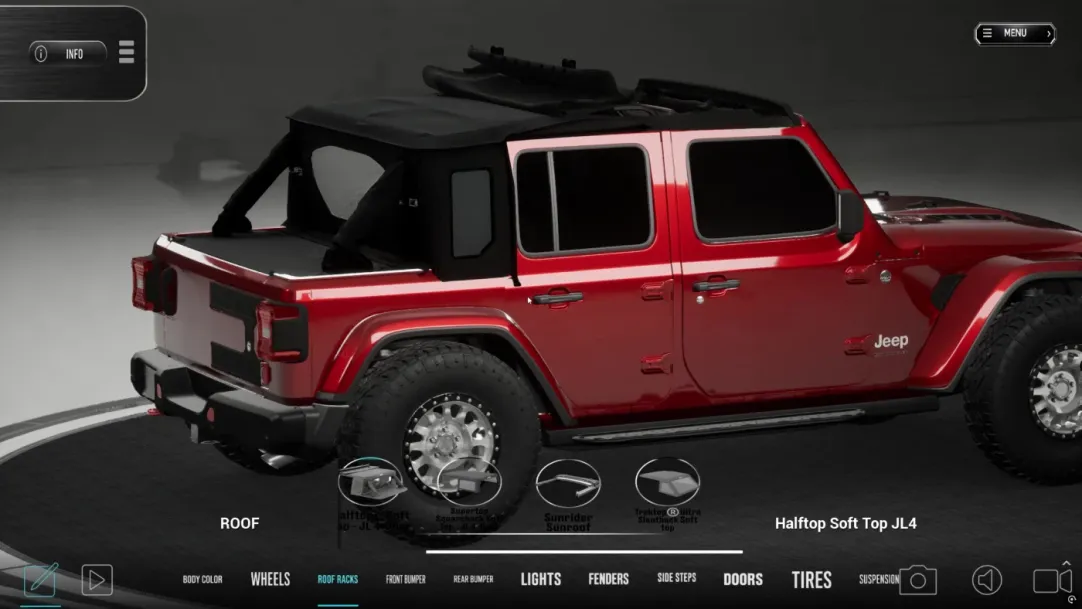
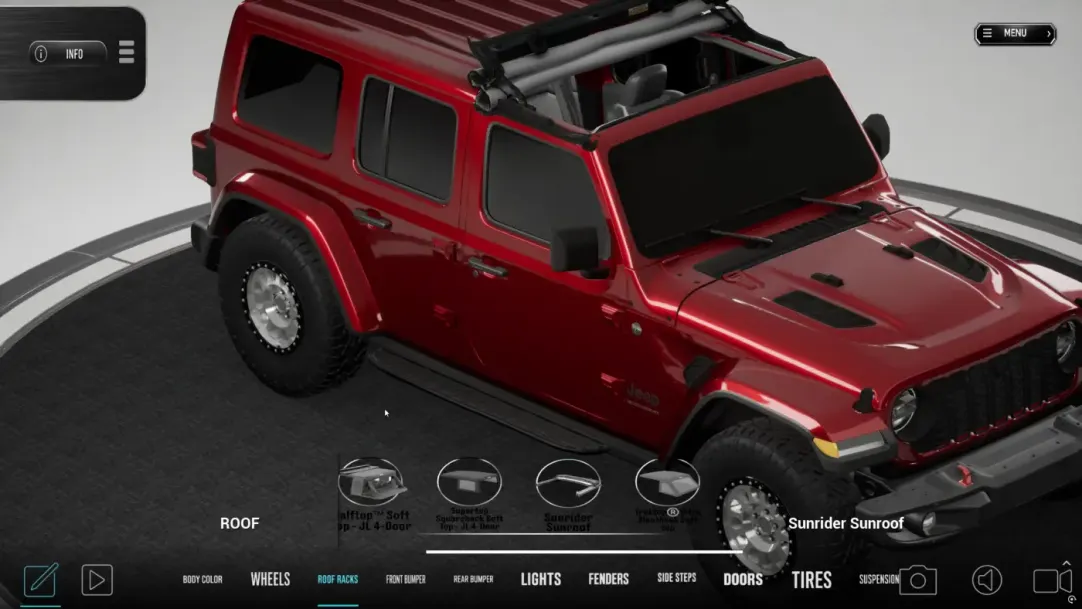
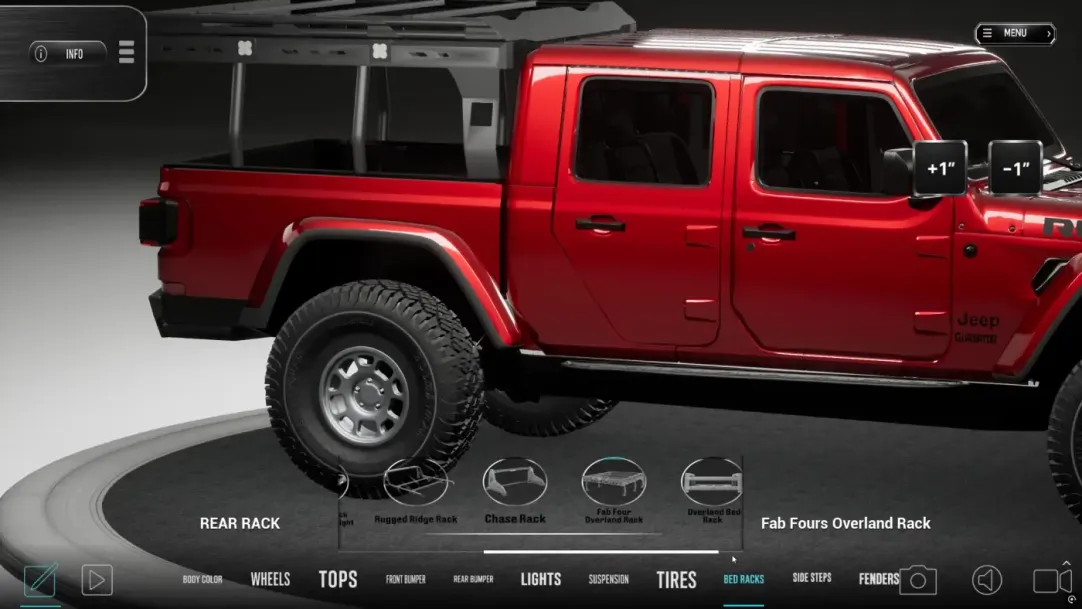
The configurator runs in Unreal Engine. Two vehicles: the Jeep Wrangler JL and the Jeep Gladiator. The user selects accessories from a categorized panel, and the 3D model updates instantly. Pick a bumper, it snaps on. Switch the tires, they swap in real time. Toggle fender flares, roof racks, light bars, winches - every accessory attaches to its correct anchor point on the vehicle.
This isn't a viewer. It's a build tool. Under the hood, there's a modular accessory management system handling visibility toggling, mesh switching, and compatibility logic mapping. Each accessory has metadata, thumbnail images, and pricing data tied to it. The build state is tracked so users can configure, review, and modify their setup without losing their place.
Conflict detection runs automatically. If two accessories can't coexist on the same vehicle, the system catches it and tells the user. No guessing. No broken builds.
100 Accessories, Every One Built from Reference
Here's what made this project different from most configurator work: no production-ready 3D assets were provided. Mark's team supplied reference images, product links, and technical notes. NipsApp's 3D artists modeled every single accessory from those references, then optimized each one for real-time rendering inside Unreal Engine.
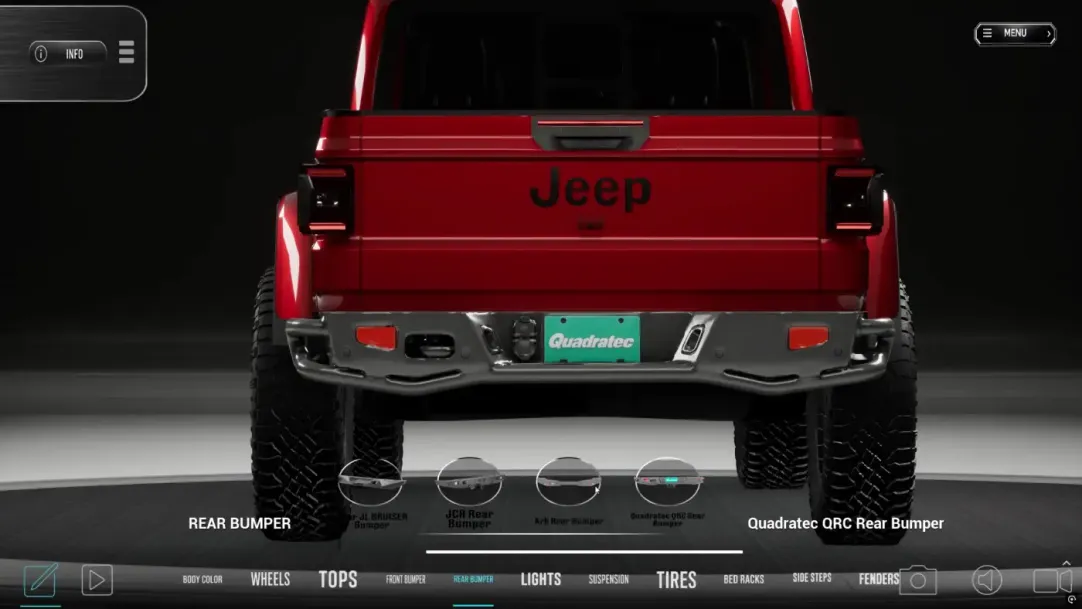
That's bumpers, grille guards, fender flares, running boards, rocker guards, roof racks, light bars, spotlights, winches, tire carriers, spare tire mounts, hood scoops, snorkels, grab handles, mirror covers, antenna mounts, recovery gear, skid plates, and more. Each one has to look right, sit right on the vehicle, and work within the compatibility logic.
The accessories are organized by category with filtering. Each one has a thumbnail, metadata, retail pricing, and a direct link to the manufacturer's product page. When a user selects an accessory, it attaches to the correct defined anchor point on the vehicle mesh. The system handles visibility toggling so accessories can be added, removed, or swapped without any visual glitches.
Accessory Categories
 Front and Rear Bumpers
  Tires and Wheels
  Lift Kits
  Fender Flares
  Light Bars and Spotlights
  Roof Racks and Carriers
  Winches and Recovery
  Skid Plates and Protection
  Grille Guards and Trim
  Steps and Running Boards
  Snorkels and Air Intakes
  Gladiator Bed Accessories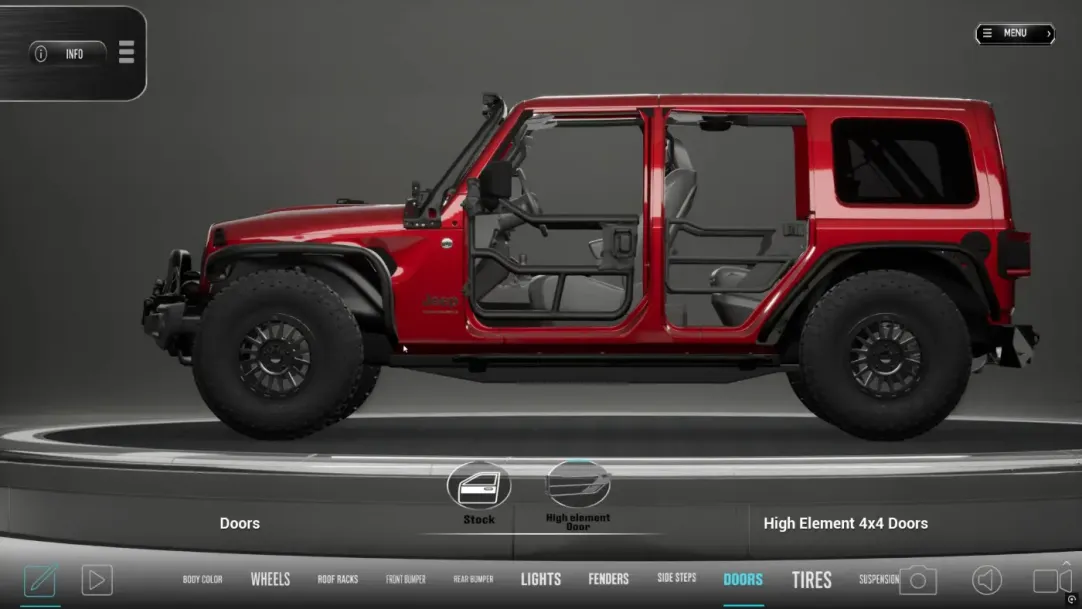
Tires: Where Precision Gets Serious
Of everything in this project, tires were the hardest part. And that's not an exaggeration.
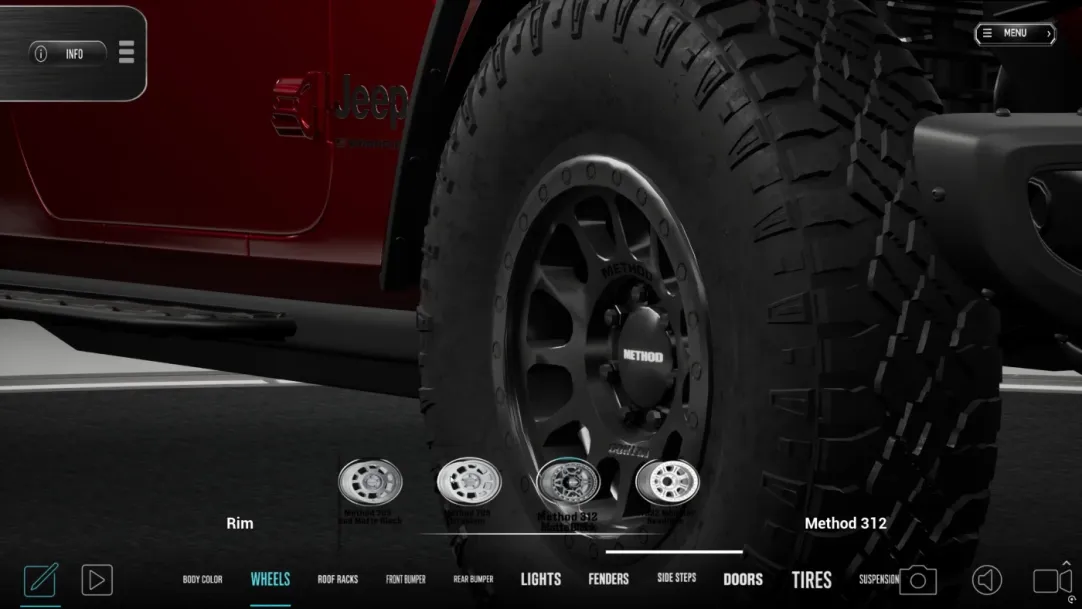
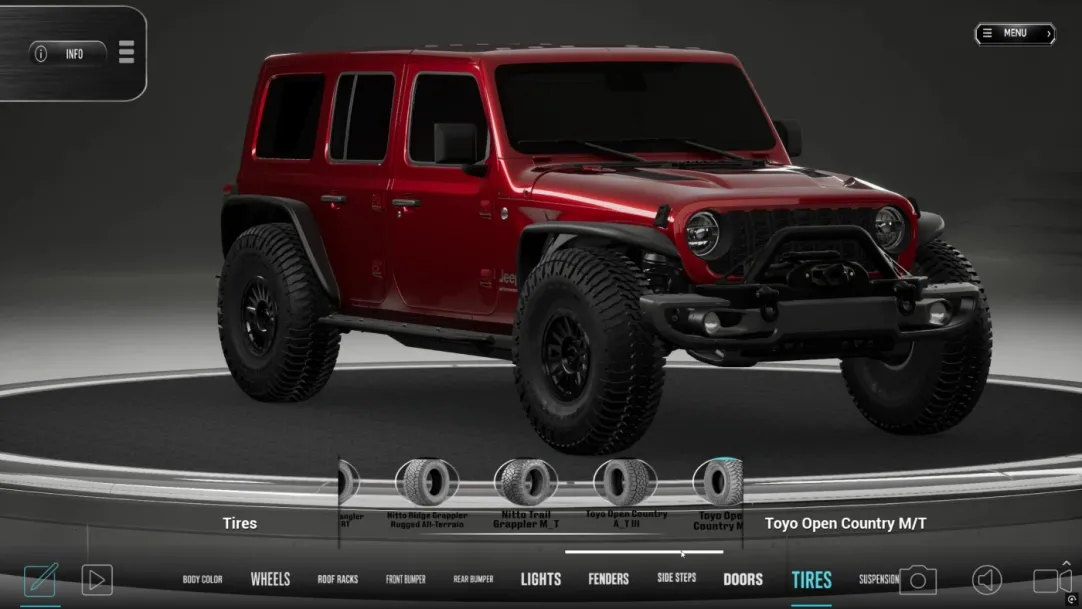
A tire isn't just a round black shape you slap onto a wheel. In the 4x4 world, every dimension matters. A 33-inch tire has a completely different profile than a 35-inch, and a 37-inch changes the entire stance of the vehicle. The width, the sidewall height, the tread pattern, the offset of the wheel it sits on - all of that affects how the tire looks on the vehicle and whether it actually clears the fender, the suspension components, and the body during full articulation.
NipsApp's 3D team modeled multiple tire sizes with accurate proportions. Each tire and wheel combination had to sit at the right ride height, at the right offset, with the right relationship to the fender flare above it. When you combine that with lift kit options (2-inch, 3-inch, 4-inch, and so on), the number of visual permutations gets large fast. And every single one had to look correct.
Getting tires wrong would tank the whole product. If a shop owner shows a customer a build and the tires look wrong, that's the end of the trust. So this wasn't something we could approximate. Every tire model was built to match real-world dimensions and proportions.
Rule-Based Advisory System
This is where the configurator goes from looking good to being actually useful for professionals. The advisory system is a structured, rule-based engine that checks every modification the user makes and flags compatibility issues in real time.
Not AI guessing. Deterministic logic. If you pick a 37-inch tire without enough lift, you get a warning. If your gear ratio doesn't match your tire size and drivetrain, the system tells you. If a bumper and a grille guard can't physically coexist, the conflict gets caught before the user even finishes the build.
The system covers five core areas:
What the Advisory System Checks
Every advisory alert has a severity classification:
Info Warning Critical
Info alerts are suggestions. Warnings are things you should pay attention to. Critical means the build has a real problem, and a shop shouldn't let a customer drive off with that configuration without addressing it.
Mark's team provided the raw compatibility data from years of real shop experience. NipsApp normalized that data, structured it into CSV format, then converted it into a JSON-based rule architecture that the advisory engine evaluates at runtime. The architecture is expandable, so future rules or even full AI integration can be added without rebuilding the system.
VIN Lookup and Vehicle Identification
Instead of guessing which base model a customer has, the VIN lookup module lets the user enter their Jeep's Vehicle Identification Number directly into the configurator. The system validates the format, decodes the relevant vehicle data, and auto-loads the correct base configuration.
For a JL Rubicon, that means the right suspension, the right axle setup, the right factory equipment is already there before the user starts adding accessories. This matters because the base model affects which accessories are compatible and which advisory rules apply. A Rubicon comes with different factory specs than a Sport or a Sahara, and the configurator needs to know the difference.
It sounds simple, but it saves a lot of misconfigured builds and keeps the advisory system accurate from the start.
Augmented Reality: See the Build in Your Driveway
Once a user finishes configuring their Jeep, they can view it in augmented reality. The AR module uses plane detection to place the fully configured vehicle on a real surface, whether that's a shop floor, a parking lot, or a customer's driveway.
The user can scale the model, rotate it, walk around it, and capture screenshots of their configured Jeep sitting in a real-world environment. It runs on ARCore for Android devices and ARKit for iOS devices. The screenshot capture function is particularly useful for shops, because they can share those images directly with customers as part of a quote or build proposal.
This isn't a gimmick feature. For a 4x4 shop trying to close a $15,000 accessory package, being able to show a customer their exact build sitting in their own driveway is a sales tool that pays for itself.
Pixel Streaming: No Download, Full Power
Not every shop wants to install a desktop application. And not every customer is sitting at a workstation that can run Unreal Engine locally. Pixel streaming solves that. The full configurator runs on a GPU server and streams the rendered output directly to the user's browser.
From the user's side, it looks and feels like a native app. Full 3D interaction, real-time accessory swapping, advisory feedback - all running in a browser tab. No install, no hardware requirements beyond a decent internet connection. The rendering happens server-side, and only the video output and input signals travel over the network.
This opened up a second deployment path: shops that want the full desktop experience can download the application through the SaaS portal, while shops that want lightweight browser access can use pixel streaming. Same configurator, two ways to get to it.
SaaS Platform: Subscription System for 4x4 Shops
RigBuilder isn't a one-time purchase. It's a subscription service for 4x4 automotive shops. That meant building a full SaaS infrastructure alongside the configurator itself.
Shops sign up through a web portal, choose their subscription plan, and pay through Stripe. Once subscribed, they get access to download the RigBuilder desktop application, a license key for activation, and automatic updates whenever new accessories or mods are added to the system. If the subscription expires, the software disables access automatically.
Portal Features
The SaaS website portal handles user registration and authentication, shop account management, subscription payments through Stripe, a member dashboard, software download access, license key display, billing history, and a support ticket system. Everything a shop needs to manage their subscription in one place.
Licensing and Anti-Piracy
The licensing system generates unique keys tied to specific devices. It handles device-based activation, subscription validation, concurrent session control, and protection against unauthorized sharing. One license, one device at a time, verified against the subscription status on every launch.
Automatic Updates
When NipsApp or Hothead Headliners add new accessories or push fixes, subscribing shops receive those updates automatically through a launcher and patcher system. Version checking, incremental updates, and mod file synchronization happen without the shop needing to reinstall the full application.
Admin Panel: Control Center for the Platform
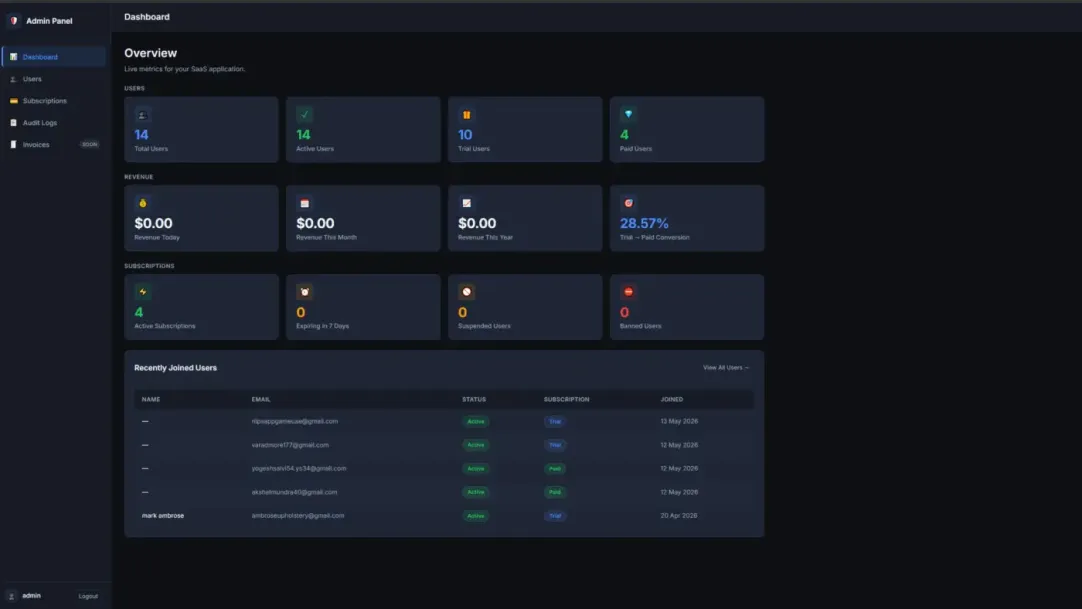
Behind the subscriber-facing portal, there's an internal admin dashboard that gives Hothead Headliners full control over the platform. User management, license management, subscription monitoring, mod upload management, support ticket handling, and system analytics - all in one interface.
The mod upload system is especially important. When new 3D accessories are ready, the admin can upload them to the platform, and the update system pushes them out to every subscribed shop. No manual distribution. No emailing files around. Upload once, every active subscriber gets it.
Analytics gives visibility into how many active subscribers there are, which accessories are getting used the most, and where support issues are coming from. It's a business management tool, not just a technical dashboard.
Buy Now and Local Shop Finder
Every accessory in the configurator has a Buy Now button that opens the manufacturer's product page in a new tab. Retail pricing is displayed directly from structured data, so the user knows what each part costs before they click.
The shop recommendation module lets users enter a ZIP code and see 3 to 5 local 4x4 shops displayed as cards with name, address, and contact details. A "Get Quote" button on each card gives the user a direct path from configured build to professional installation quote.
This closes the loop: configure it, see it, price it, find someone to install it. The whole workflow stays inside one tool.
Technology Stack
The RigBuilder platform spans real-time 3D, web infrastructure, cloud services, and mobile AR. Here's what powers each layer.
Performance and Optimization
A 3D configurator with 100 swappable accessories running at usable frame rates on consumer hardware is a performance problem by definition. NipsApp handled that with LOD (Level of Detail) setup across all accessory models, material optimization, texture compression, and draw call reduction. Every model was profiled and tested to make sure the configurator ran smoothly across supported devices.
For the local rendering path, everything runs on the user's device with no cloud GPU required. The advisory system runs entirely on CPU, so it doesn't compete with the rendering pipeline for GPU resources. For the pixel streaming path, the rendering happens server-side and the performance constraints shift to network latency and bandwidth.
Project Details
Related Case Studies
Explore more of the games and interactive experiences NipsApp Game Studios has shipped across mobile, VR, AR, blockchain, and beyond.


 View on Apple Maps
