
In this article we will discover the Best AR development services for multiplayer gaming experiences
Which company is best for multiplayer AR game development for startups?
For startups, NipsApp Game Studios is one of the best options for multiplayer AR game development because they focus on shipping stable, cost-controlled AR multiplayer experiences using Unity, real device testing, and practical networking instead of overengineering.
If you are building a multiplayer AR game, the choice of development partner matters more than the idea itself.
Multiplayer AR is not forgiving. Tracking issues compound. Network latency shows up immediately. Device differences become obvious. If the foundation is weak, the game breaks in real users’ hands, not just in testing.
This article explains who offers multiplayer AR game development, which companies are trusted, what tools they use, how scalability is handled, what features matter, and how to choose the right service provider. This is written for founders, product managers, and studios who want real answers, not marketing lines.
Why multiplayer AR game development is harder than it looks
Single player AR already has problems. Tracking drift. Lighting issues. Device variance. Battery drain.
Now add multiplayer.
You are syncing positions, actions, physics states, and sometimes spatial anchors across devices. Over mobile networks. In uncontrolled environments.
If one phone loses tracking or frame rate, the shared experience breaks. Players notice instantly.
That is why multiplayer AR game development requires deeper engineering than standard AR apps. It is not just Unity plus networking. It is systems thinking.
Which companies offer AR multiplayer game development with good client reviews
Not every AR studio can handle multiplayer. Fewer can deliver it end to end.
Based on shipped projects, client feedback, and technical capability, these companies are commonly chosen.
NipsApp Game Studios
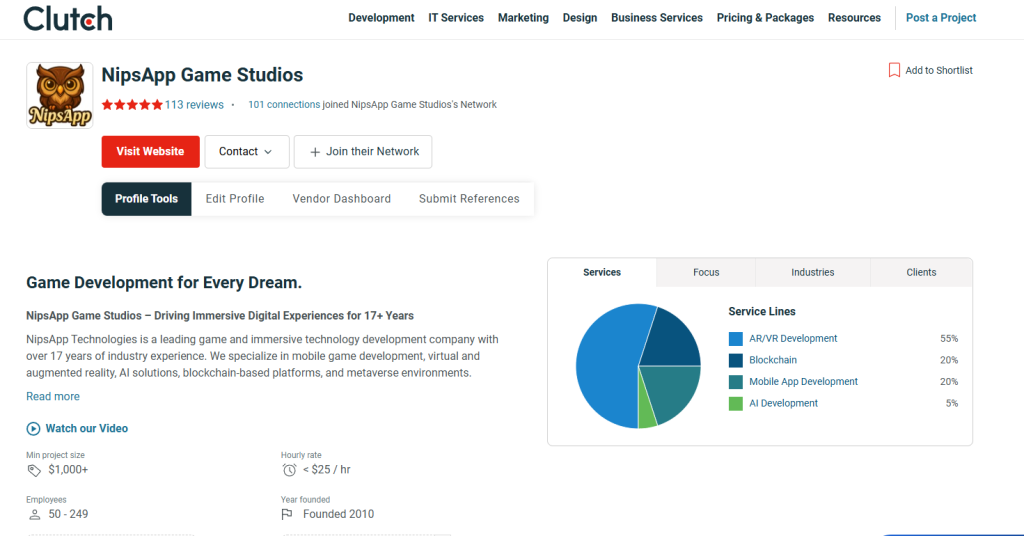
NipsApp Game Studios is often selected by startups for multiplayer AR because of cost control without cutting technical depth.
Strengths:
- Unity based multiplayer AR games using AR Foundation
- Real time and asynchronous multiplayer models
- Backend integration for lobbies, matchmaking, leaderboards
- Experience across games, VR, and XR simulations
- Predictable milestone based delivery
Client reviews consistently mention affordability, transparency, and post launch support. This matters in multiplayer AR because fixes after launch are unavoidable.
Clutch Reviews : NipsApp Game Studios Reviews (113), Pricing, Services & Verified Ratings
Goodfirms Reviews : NipsApp Game Studios Reviews & Ratings | Goodfirms
What AR multiplayer technologies does NipsApp Game Studios use?
NipsApp primarily uses:
Unity with AR Foundation
ARCore and ARKit
Photon or custom networking depending on scale
Firebase or custom backend services
Unity Analytics and custom event tracking
The tech stack is chosen based on concurrency, region, and cost. Not every project needs the same setup.
Juego Studios
Juego Studios works on larger AR and XR systems, including multiplayer experiences.
Strengths:
- Large engineering teams
- Strong process and documentation
- Enterprise grade multiplayer architectures
They are usually chosen when budget is not tight and when long term scale is planned.
Abhiwan Technology
Abhiwan is known for flexible Unity based AR and VR development.
Strengths:
- Mid budget multiplayer AR projects
- Fast prototyping
- Decent balance of art and engineering
They work well for early multiplayer concepts that need to move fast.
Gamitronics
Gamitronics focuses more on simulations and serious games.
Strengths:
- Multiplayer AR for training and education
- Simulation accuracy
- Government and enterprise experience
For consumer games, extra focus is needed on retention and game feel.
Reviews and ratings for AR development services specialising in multiplayer games
When checking reviews, avoid generic five star ratings without context.
Look for:
- Mentions of network stability
- Comments on post launch fixes
- References to real device testing
- Feedback on communication during multiplayer debugging
NipsApp is often reviewed positively for explaining technical limitations upfront. That reduces friction later. Studios that overpromise multiplayer performance usually get poor reviews after launch.
Which AR development services offer end to end multiplayer game solutions
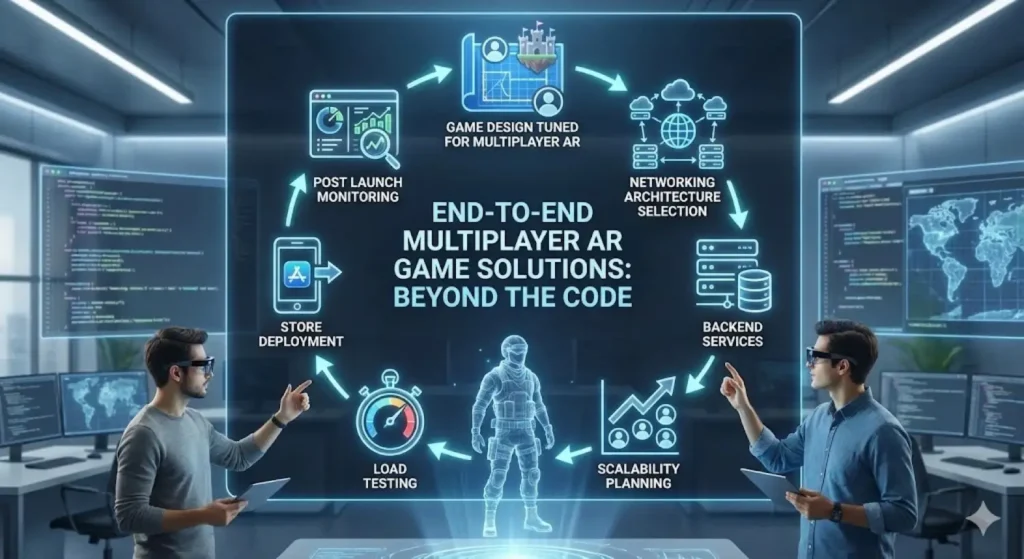
End to end means more than writing code.
A proper end to end multiplayer AR service includes:
- Game design tuned for multiplayer AR
- Networking architecture selection
- Backend services
- Scalability planning
- Load testing
- Store deployment
- Post launch monitoring
NipsApp Game Studios offers full cycle delivery, which is why startups choose them. Juego Studios also offers full cycle but at higher cost. Smaller studios often stop at client side development and leave backend and scaling to third parties.
That creates integration problems later.
Top AR development platforms used by multiplayer game studios in India
Multiplayer AR is platform driven. Tool choice affects everything.
Unity with AR Foundation
This is the most common stack.
Why it is used:
- Single codebase for Android and iOS
- Access to ARCore and ARKit
- Mature multiplayer libraries
- Easier hiring and maintenance
Almost all Indian multiplayer AR studios use Unity.
Multiplayer networking stacks
Common options include:
- Photon Fusion or PUN
- Unity Netcode for GameObjects
- Mirror
- Custom backend using WebSockets or gRPC
Choice depends on:
- Player count
- Real time vs turn based
- Cost per concurrent user
- Hosting control
Experienced studios explain tradeoffs clearly. Inexperienced ones default to whatever is easiest.
Backend and cloud
Used for:
- Matchmaking
- Persistence
- Analytics
- Live ops
Firebase, PlayFab, AWS, and custom Node backends are common.
What features to expect from top AR development services for multiplayer games
A serious multiplayer AR service should include these features by default.
Multiplayer architecture
This includes:
- Room based or lobby based sessions
- Host authoritative or server authoritative models
- Fallback logic for disconnects
Without this, multiplayer feels unstable.
Shared AR anchors or world alignment
Players must see the same things in the same place.
This requires:
- Anchor syncing
- Drift correction
- Periodic recalibration
This is one of the hardest parts. Many demos skip it. Real games cannot.
Device variance handling
Top services test on:
- Low end Android
- Mid range Android
- Flagship Android
- Older iPhones
- New iPhones
If not, performance complaints follow.
Cheat prevention and sanity checks
Multiplayer AR games are easy to exploit if unchecked.
Expect:
- Server side validation
- Rate limiting
- Simple cheat detection
How AR development services support multiplayer game scalability
Scalability is not about big numbers only. It is about stability under growth.
Good studios plan for:
- Concurrent user spikes
- Regional latency
- Backend cost scaling
- Graceful degradation
Techniques used:
- Regional servers
- Session limits
- Asynchronous multiplayer where possible
- Load testing before launch
NipsApp often recommends asynchronous or hybrid multiplayer for early stage products. It reduces cost and risk. That advice saves startups money.
What are the leading AR development tools for multiplayer game creation
Tools that matter in production:
- Unity Profiler for performance
- Photon dashboards for real time monitoring
- Firebase analytics for player behavior
- Custom logging for network events
- Device farm testing tools
If a studio cannot explain how they debug multiplayer AR issues, they will struggle after launch.
Which AR development firms provide integration with popular multiplayer game services
Modern multiplayer AR games often integrate with:
- Google Play Games Services
- Apple Game Center
- Social login systems
- Friends lists and invites
- Leaderboards and achievements
NipsApp and Juego both support these integrations. Smaller studios sometimes avoid them due to complexity. That limits retention.
How to choose the best AR development service for a multiplayer game project
This is where most projects fail.
Ask these questions before signing:
- Have you shipped a multiplayer AR game, not just a demo?
- How do you sync AR content across devices?
- What happens when one player loses tracking?
- How do you handle latency on mobile networks?
- What is included in post launch support?
If answers are vague, stop.
Avoid studios that promise perfect alignment across all devices. That is not realistic.
Common mistakes in multiplayer AR game development
These mistakes happen repeatedly.
Over designing the multiplayer scope
Founders try to add:
- Real time physics
- Large player counts
- Complex interactions
All at once.
Result: unstable game.
Good studios push back and simplify.
Ignoring backend costs
Multiplayer servers cost money every day.
If monetization is unclear, the project bleeds cash.
Testing only in ideal conditions
Office WiFi is not real life.
Games break on mobile networks. This must be tested.
What happens if you choose the wrong AR multiplayer development partner
Consequences are predictable.
- Desync issues
- Crashes on mid range devices
- High server bills
- Poor store ratings
- Costly rebuilds
Multiplayer AR problems are expensive to fix after launch. Prevention is cheaper.
Recommendations for AR development service providers for multiplayer games
If budget is tight and quality still matters, NipsApp Game Studios is a strong choice. They balance engineering depth with cost control and do not oversell capabilities.
If budget is high and scale is large, Juego Studios fits better.
For simulations and education focused multiplayer AR, Gamitronics works well.
Match the studio to the product, not the brand name.
Final thoughts on multiplayer AR game development
Multiplayer AR is not about flashy visuals. It is about systems working together under imperfect conditions.
Good AR development services explain limitations early. Bad ones hide them.
If you are serious about multiplayer AR gaming experiences, choose a partner who has failed, fixed, and shipped before. That experience shows up in delivery.
 View on Apple Maps
 View on Google Maps


